
Where to find archived chats
- Open chatgpt.com and click your profile picture in the bottom-left corner.
- Choose Settings, then Data controls.
- Next to Archived chats, click Manage.
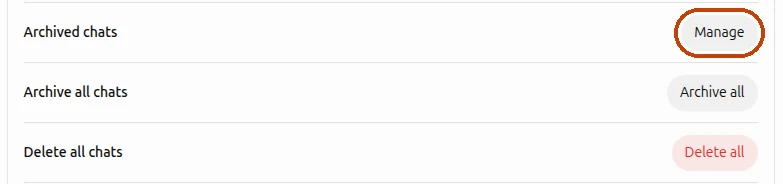
In the newer version of ChatGPT settings, Archived chats also has its own item in the menu on the left.
If you remember a word from the chat, you don’t even need the list: archived chats still show up in ChatGPT’s search, the magnifier above the chat list.
In the ChatGPT app
Open the menu, tap your name at the bottom to open Settings, then Data controls → Archived chats. Depending on your phone, the item may be called View archived chats.
Unarchive a chat
In the list of archived chats, click the unarchive button next to the chat. It goes back to the sidebar with your other chats, and you can continue the conversation as before.
That’s also the fix if a chat has just disappeared from your sidebar. Archive sits right next to Delete in a chat’s ⋯ menu and works without a confirmation, so one stray click is enough to send a chat to the archive.
Delete archived chats
In the same list, click the delete button next to a chat and confirm. Unlike archiving, this is permanent: neither ChatGPT nor OpenAI support can bring a deleted chat back.
Archived chats are never deleted on their own. They stay in your account until you delete them, just like the chats in your sidebar.
Archive one chat, all of them or the ones you pick
- One chat: hover over it in the sidebar, click ⋯ and choose Archive. In the phone app, press and hold the chat.
- All chats: Settings → Data controls → Archive all chats. This includes the chats inside projects.
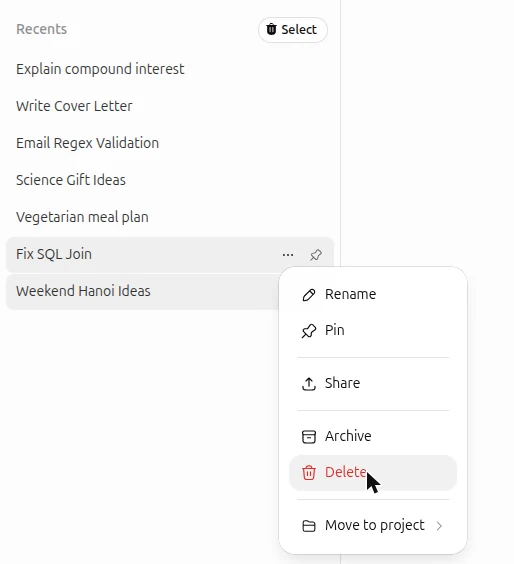
There’s nothing in between: ChatGPT can’t archive a dozen chats you choose in one go. To tidy up the sidebar without losing anything, I built a Chrome extension that adds checkboxes to the chat list.

- Install Delete All Chats for ChatGPT™ from the Chrome Web Store.
- Open chatgpt.com and click Select above your chat list.
- Tick the chats you want to put away, or press Select all.
- Click Archive. The chats move to Archived chats, and you can unarchive any of them later.
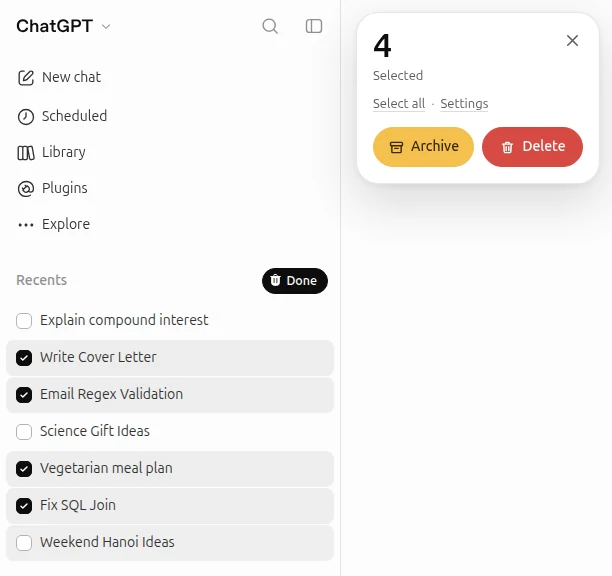
The extension works in Chrome on a computer. It’s free for occasional clean-ups; for heavy use there are paid plans inside the extension.
Questions
What’s the difference between archiving and deleting?
An archived chat only leaves the sidebar: it stays in your account, you can find it in search and bring it back at any time. A deleted chat is gone for good, and OpenAI schedules it for permanent deletion from its systems within 30 days.
Can I keep chatting in an archived chat?
Unarchive it first. After that it’s an ordinary chat again, back in your sidebar.
I can’t find a chat in the sidebar or in the archive
Search for it by a word you remember: search covers archived chats too. Also check that you’re signed in to the same account and, if you use ChatGPT at work, the same workspace. If the chat was deleted, it can’t be restored.