🎬 Chrome extension
Subtitles Tool for YouTube™
Read, translate and download YouTube subtitles right on the video page, with dual captions and a full transcript.
- Store rating
- 4.8★
- Ratings
- 558
- Users
- 46,000
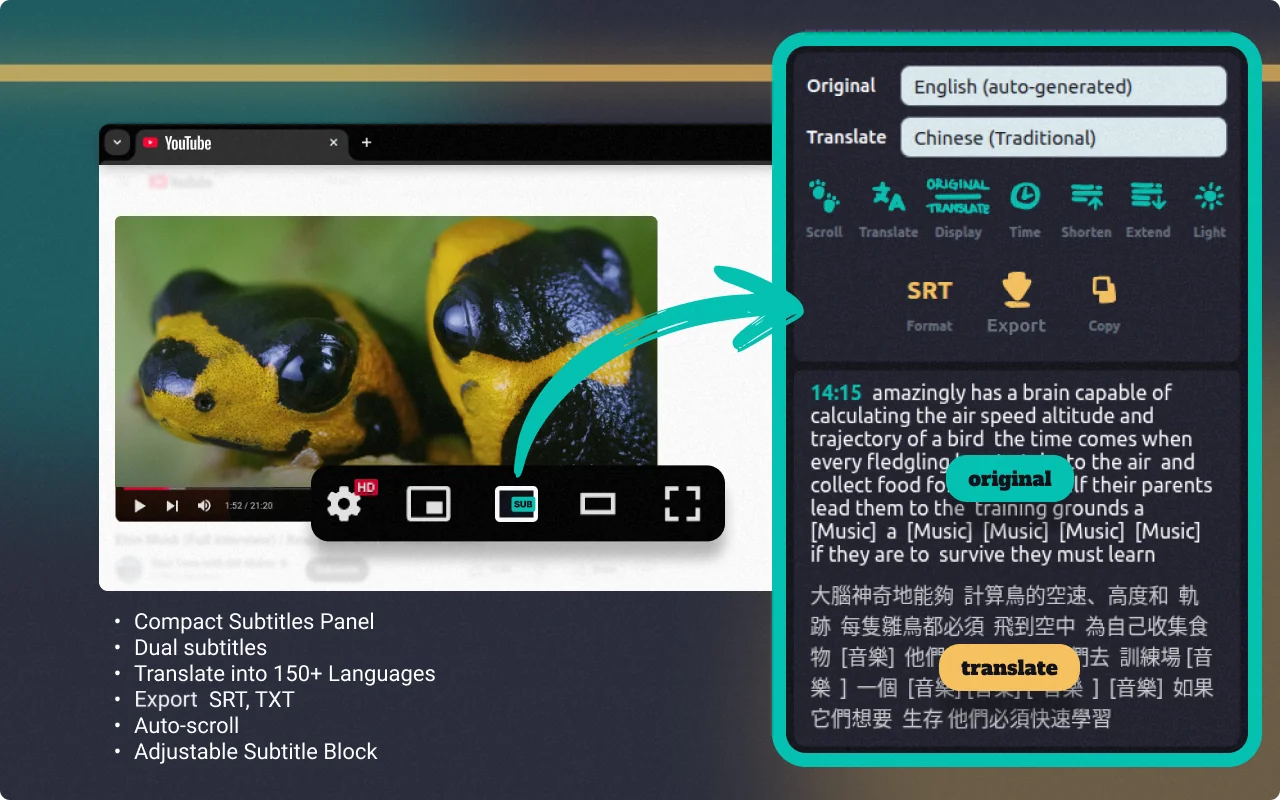
What it does
- Download subtitles as SRT or TXT
- Dual subtitles with translation into 150+ languages
- Full transcript with timecodes and auto-scroll
- Adjustable caption line length and a compact panel
How it works
- Install it from the Chrome Web Store.
- Open any YouTube video.
- Click the SUB button in the player controls to open the subtitles panel.
- Pick the original and translation languages, then read, copy or download.
Pricing
Free to install. A free allowance covers occasional use; for unlimited use there are paid plans, purchased right inside the extension. Prices are shown in your local currency and may vary by country.
Payments are handled by our merchant of records: Paddle.com, Polar. See the refund policy and terms.
About Subtitles Tool for YouTube™
With Subtitles Tool for YouTube™, you can easily transcribe YouTube video, display dual subs with translations in over 150 languages, adjust caption line length, and download subtitles from YouTube in SRT or TXT formats — all directly on the video page. Whether you're looking to download subs from YouTube, extract a full YouTube video transcript, or just view clean, readable captions while watching, this tool provides everything you need in one place.
This powerful extension acts as a youtube subtitle downloader, a flexible youtube subtitle generator, and a smart youtube video script extractor — ideal for content creators, language learners, educators, and translators. Use this youtube caption downloader to create your own transcript files, or even turn YouTube to text for study, editing, or archiving.
It’s also a perfect YouTube transcript downloader, offering full support for auto-generated and manual caption, along with accurate timecodes and customizable display. If you're looking for a fast, reliable, and fully integrated youtube subtitles download solution — this is it.
Subtitles Tool for YouTube™ is an independent product by Anton Khoteev and is not affiliated with, endorsed by or sponsored by Google or YouTube. YouTube is a trademark of Google LLC; the name is used only to describe compatibility.