

Open your comment history on YouTube
- Go to youtube.com and sign in with the account you comment from.
- Click History in the left menu. If you only see icons there, click ☰ at the top left to open the full menu.
- On the right side of the History page, under Manage all history, click Comments.
- Google My Activity opens on Your YouTube Comments. Comments are grouped by day, newest first, each with the video it’s under. Click a comment to go back to where you posted it.
The page is fine for looking through recent comments, but it has no search box. To find an old comment, you scroll back day by day, and Ctrl+F only finds what has already loaded. It doesn’t show how many likes and replies your comments got, and it can’t show just one channel or just your replies. The ✕ next to a comment deletes it from YouTube, one comment at a time.
Search all your comments, with likes and replies
Finding one old comment in My Activity can mean scrolling through months of history, so I made YouTube Comment History. It loads your whole comment history from the same My Activity page into one list in a Chrome tab, where you can search it, filter it and see how each comment did.
- Install YouTube Comment History from the Chrome Web Store.
- Click its icon on the Chrome toolbar. On YouTube, there’s also its button in the header and Comment history in the left menu.
- The tab loads your comments from Google My Activity with the Google account you’re signed in to in Chrome, so you don’t enter a password. A long history takes a little while the first time.
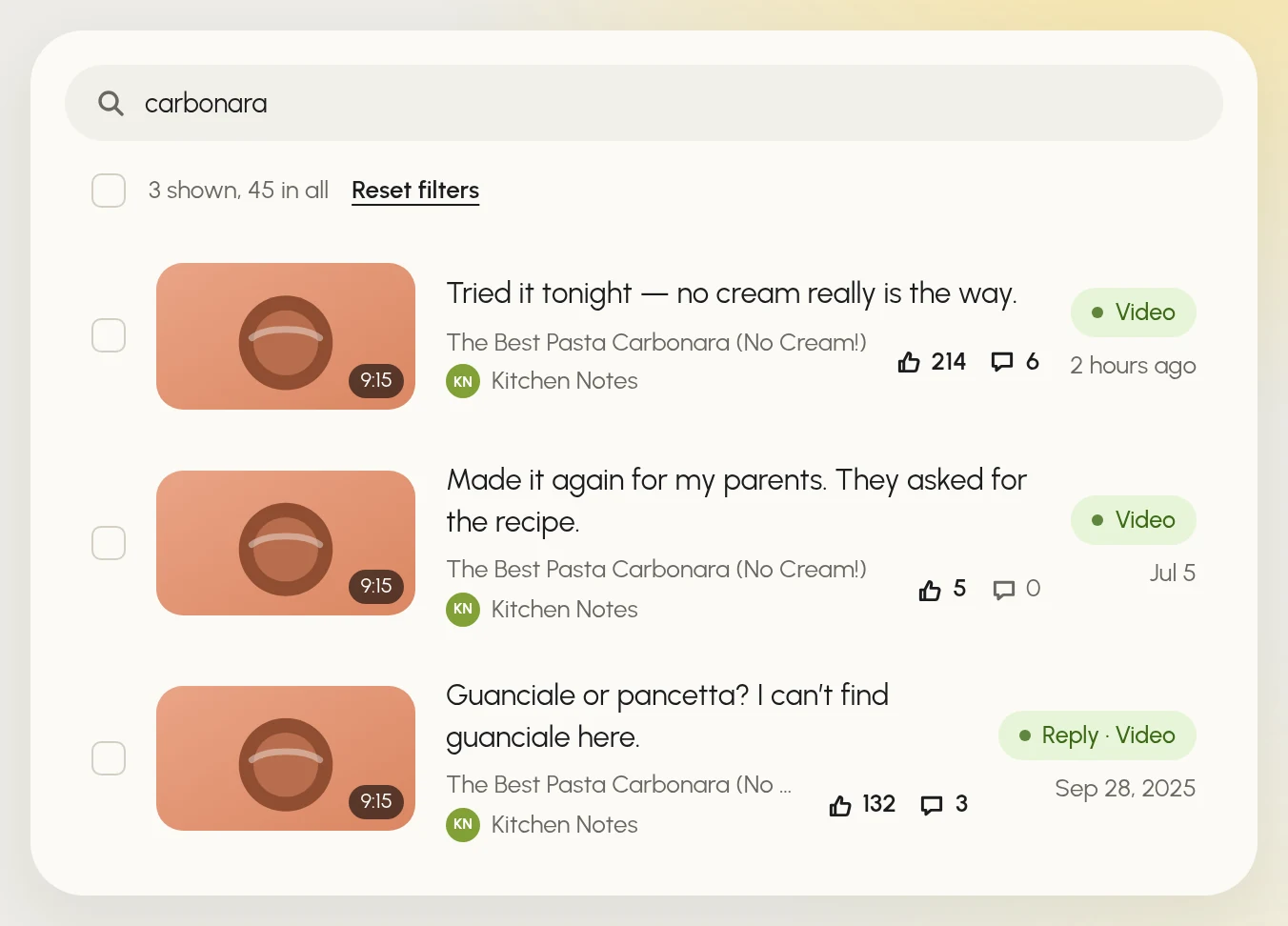
- Type a word in Search comments, videos, channels: it looks through the text of your comments, video titles and channel names.
- Narrow the list with the filters on the left: Type (comments or replies), Where (videos, Shorts or posts), Year and Channels.
- Click a comment to open it on YouTube.
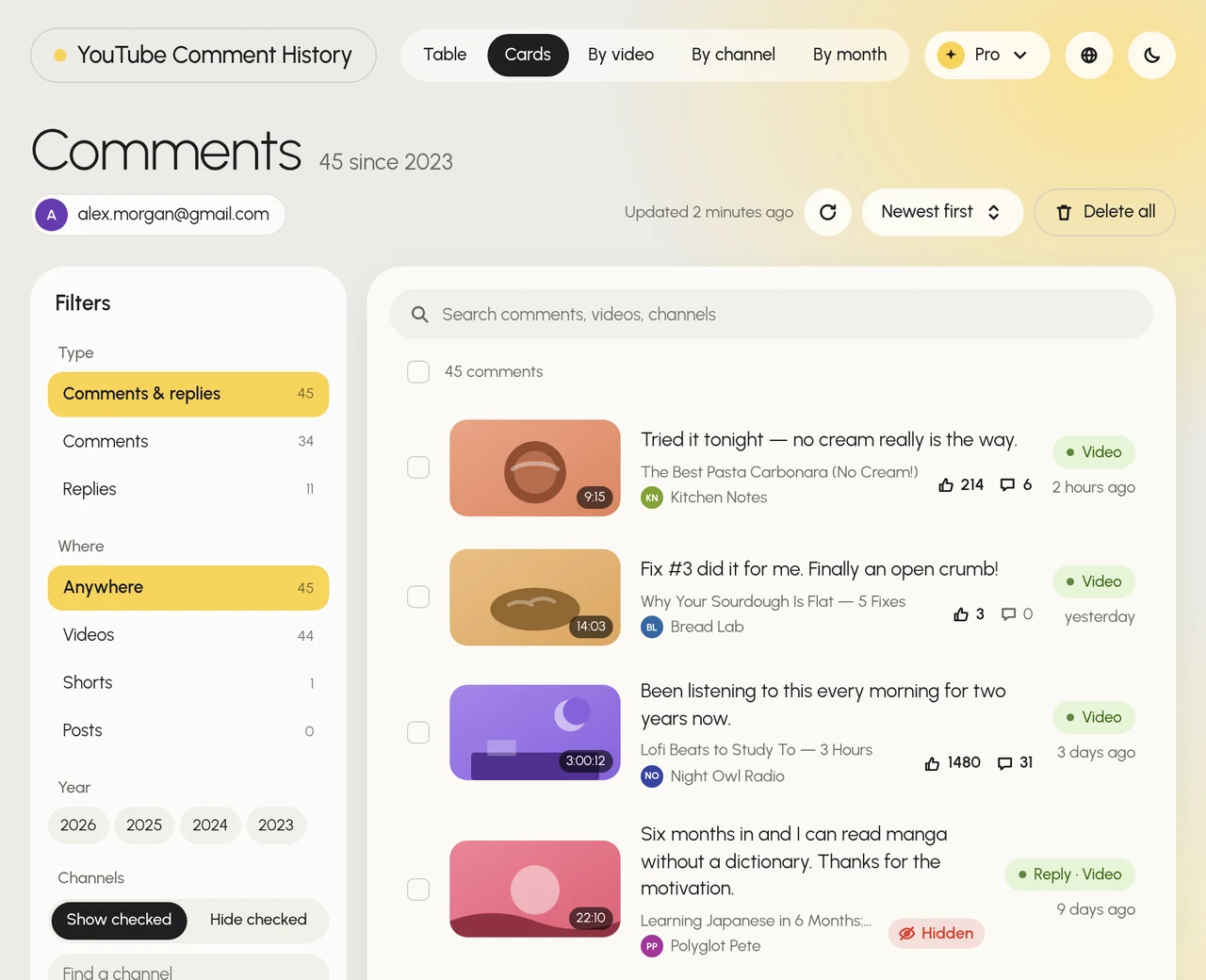
Each comment shows its likes and replies. Hidden means the extension checked the video as a signed-out viewer, and YouTube doesn’t show your comment to other people: it’s waiting for the channel’s review, YouTube’s spam filter caught it, or the channel removed it. The list has five views: Table, Cards, By video, By channel and By month. In Table, click Likes to put your most-liked comments on top.
Under a video on YouTube, the extension adds My comments next to the comment count: it opens the comments you left on that video. To clean up your history, check comments and click Delete N selected, or use Delete all. Your comments are loaded from Google straight into your browser and stay there. The extension is free to start; heavy use needs a paid plan inside the extension.
See your comment history on a phone
Comment history is a Google My Activity web page, so on Android or iPhone the simplest way is your browser:
- Open myactivity.google.com/page?page=youtube_comments in Chrome or Safari.
- If asked, sign in with the Google account you use on YouTube.
- Scroll the list and tap a comment to go back to its video.
Guides for the YouTube app disagree about where this page is, because the app’s menus change between versions. The link leads straight to it. YouTube Comment History works in Chrome on a computer.
Why a comment isn’t in your history
- The video was deleted, or YouTube removed the comment. Comments on deleted videos and comments removed for breaking YouTube’s rules don’t show in comment history.
- You commented from another account. The history belongs to one Google account. Open it from the account you commented with: in My Activity, switch with your profile picture at the top right; in YouTube Comment History, pick the account in the menu under the title. Comments posted as a brand channel are kept in that channel’s own history.
- You deleted it. A deleted comment disappears from the history too.
- It was a live chat message or a post. They have their own pages: the links next to Comments on the History page.
Questions
Can other people see my YouTube comment history?
The comment history page is visible only to you. Other people see your public comments under the videos, and your profile card, which opens when someone taps your picture next to a comment, shows your latest comments on the channel they’re watching.
Can I search my YouTube comments for a word?
Not in My Activity: it has no search box, and Ctrl+F only finds comments that have already loaded on the page. YouTube Comment History searches the whole history at once, including video titles and channel names.
How do I delete a comment from my history?
Click ✕ next to it in My Activity: the comment is deleted from YouTube too. To delete many at once, check them in YouTube Comment History and click Delete N selected.
Can I see comments I deleted?
No. A deleted comment is gone from YouTube and from your comment history.