✨ Chrome extension
Delete All Chats for ChatGPT™
Select every conversation in your ChatGPT history and delete or archive them all at once, instead of clearing chats one by one.
- Store rating
- 3.4★
- Ratings
- 324
- Users
- 20,000
What it does
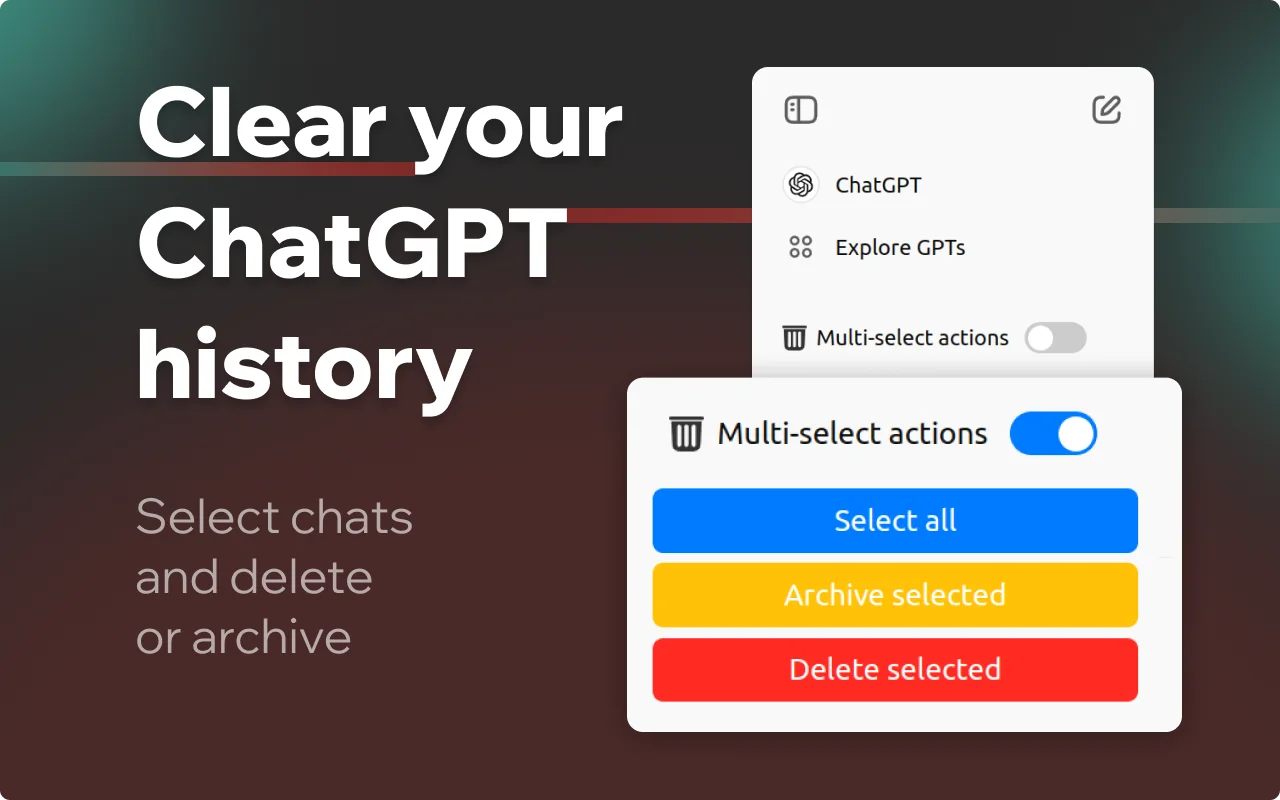
- Select all conversations with one switch
- Delete or archive the selection in bulk
- Works right inside ChatGPT, next to the chat list you already use
How it works
- Install it from the Chrome Web Store.
- Open chatgpt.com and find the trash icon above your chat list.
- Turn on Bulk delete, then pick the chats you want to clear or press Select all.
- Click Archive or Delete.
Pricing
Free to install. A free allowance covers occasional use; for unlimited use there are monthly and yearly plans, purchased right inside the extension. Prices are shown in your local currency and may vary by country.
The monthly plan starts at $1.99 and the yearly plan at $7.99. Both renew automatically until you cancel, and you can cancel at any time from the extension.
Payments are handled by our merchant of records: Paddle.com, Polar. See the refund policy and terms.
About Delete All Chats for ChatGPT™
Delete All Chats for ChatGPT™ is a Chrome extension for clearing your ChatGPT history in bulk. Instead of opening every conversation and deleting it by hand, you switch on bulk mode, select the chats you want to remove and archive or delete them in a single action.
It is built for people who use ChatGPT every day and want a clean sidebar without losing the conversations they still need: archived chats stay available in your account, deleted ones are gone for good.
Delete All Chats for ChatGPT™ is an independent product by Anton Khoteev and is not affiliated with, endorsed by or sponsored by OpenAI. ChatGPT is a trademark of OpenAI; the name is used only to describe compatibility.